 BypassGPT
BypassGPT
BypassGPT
BypassGPT is an iPhone app that scores how AI-written your text reads and rewrites it to sound like you. Paste a ChatGPT draft, check the score, humanize it in your tone — any language.
Download on the App StoreThe App Store app by Arpit Roy — not affiliated with bypassgpt.ai, .org or .io. Which BypassGPT is this?
Four tools in one fast app — built for students, marketers, creators and anyone writing with AI.
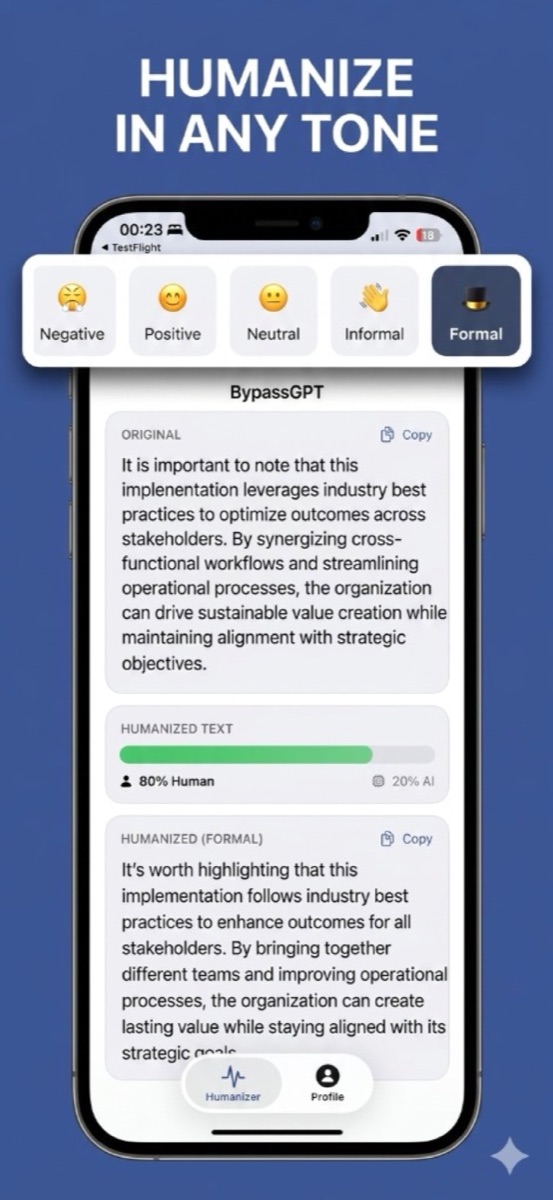
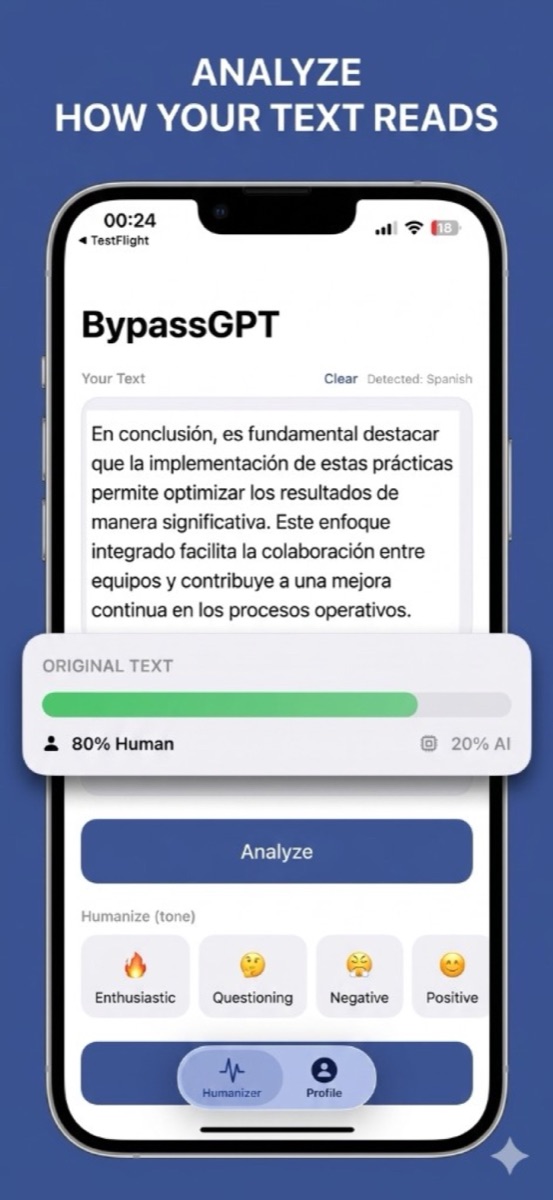
Paste any text and get an instant human-vs-AI score. Know how your writing reads before anyone else does.
Rewrite robotic AI phrasing into natural, engaging prose. Re-run in a different tone until it sounds like you.
Rephrase any sentence for clarity and impact — emails, essays, posts, captions, marketing copy.
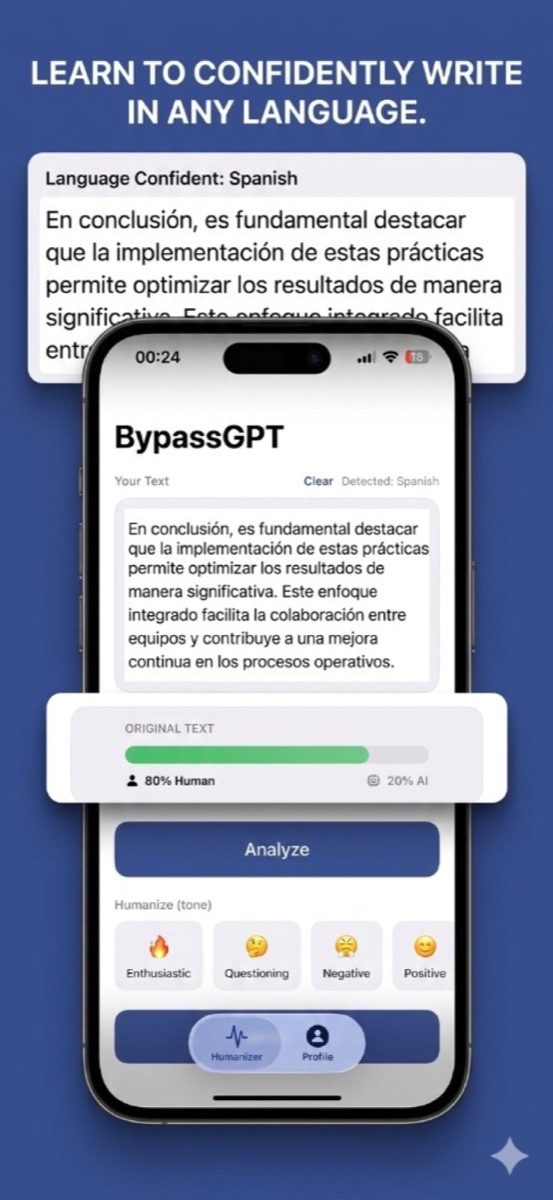
Auto-detects the input language. Humanize text in Spanish, French, German, Portuguese and more.
From AI draft to natural writing in under ten seconds.
Drop in anything — a ChatGPT answer, an AI-assisted essay draft, marketing copy, an email.
Tap Analyze to see how human it reads right now. Unedited chatbot output usually leans heavily toward AI.
Pick formal, casual, positive or enthusiastic and tap Humanize. Re-run until the score — and the voice — feel right.
One tap to copy the result. No account, no browser tabs, no copy-paste juggling between web tools.
Real screens from the app.
Practical, no-fluff answers — including the manual way, not just "use our app."
Prompts that reduce the robot voice — and what to do when prompts aren't enough.
12 copy-paste prompts, grouped by job, with honest notes on where each falls short.
The real reasons AI text reads flat — and the fixes, from prompts to one tap.
Every genuinely free option compared — and what free gets you in BypassGPT.
Claude's particular dialect, three adapted prompts, and the score-check fix.
Gemini's tells, prompts that calm them down, and the one-tap alternative.
The definitive guide: the 7 tells, the fixes, and what to do if you get accused.
9 fixes for writers whose own words get flagged — plus the self-check loop.
Why recruiters pattern-match AI applications, and the lines that break the pattern.
Why essays trip detectors, the false-positive problem, and integrity-safe fixes.
Delve, tapestry, pivotal and 20+ more, with a plain swap for each and a ban-list prompt.
How AI detectors score writing, why they disagree, and a 5-minute self-check.
Falsely accused? The evidence that counts, what to say to your professor, and what not to do.
Honest picks by use case — including when our own app isn't the right one.
What it does, when it's enough, and when a dedicated humanizer wins.
Paraphraser roots, honest strengths, and the gaps that matter for this job.
An honest comparison of the options on iOS, including where each one wins.
Is the app legit, safe and free? What it costs, how to cancel, and which BypassGPT is which.
The complete guide: what gives AI writing away, manual fixes, and the shortcut.
Seven rewrite patterns with before/after examples you can apply to any draft.
What converters actually do, how to judge quality, and how to convert on iPhone.
A workflow for creators who draft with AI but publish with a brand voice.
Guías en español — la app detecta y humaniza texto en tu idioma.
Qué es la app, qué incluye gratis, cómo cancelar y cuál BypassGPT es cuál.
Convierte texto de IA en texto que suena humano — qué hace y cómo elegir uno.
Las 6 señales del texto de IA y el método paso a paso, con ejemplos en español.
Cómo saber si un texto suena a IA, por qué fallan los detectores, y cómo revisarlo.
Paste your AI-generated text into BypassGPT, pick a tone, and tap Humanize. The app rewrites robotic phrasing into natural, human-sounding language in seconds — no account needed. Learn more →
Yes. The built-in detector scores any text as a percentage human vs AI, so you can check a draft before you publish and rewrite until it reads naturally. Learn more →
Free to start, no account needed: the download and the AI score check are free, and you get 3 free humanizations. Premium adds unlimited humanizing for $2.99/month or $19.99/year in the US. Learn more →
No. This is the iPhone app on the App Store. It isn't affiliated with bypassgpt.ai, bypassgpt.org or bypassgpt.io, which are separate websites that share the name. If you pay through Apple, it's this app. Learn more →
Yes — the app auto-detects the input language and humanizes Spanish, French, German, Portuguese and more.
Yes — formal, informal, positive, neutral, enthusiastic and more. Re-humanize the same text until it matches your voice. Learn more →
Free to start · no account · takes 10 seconds to try
Download BypassGPT